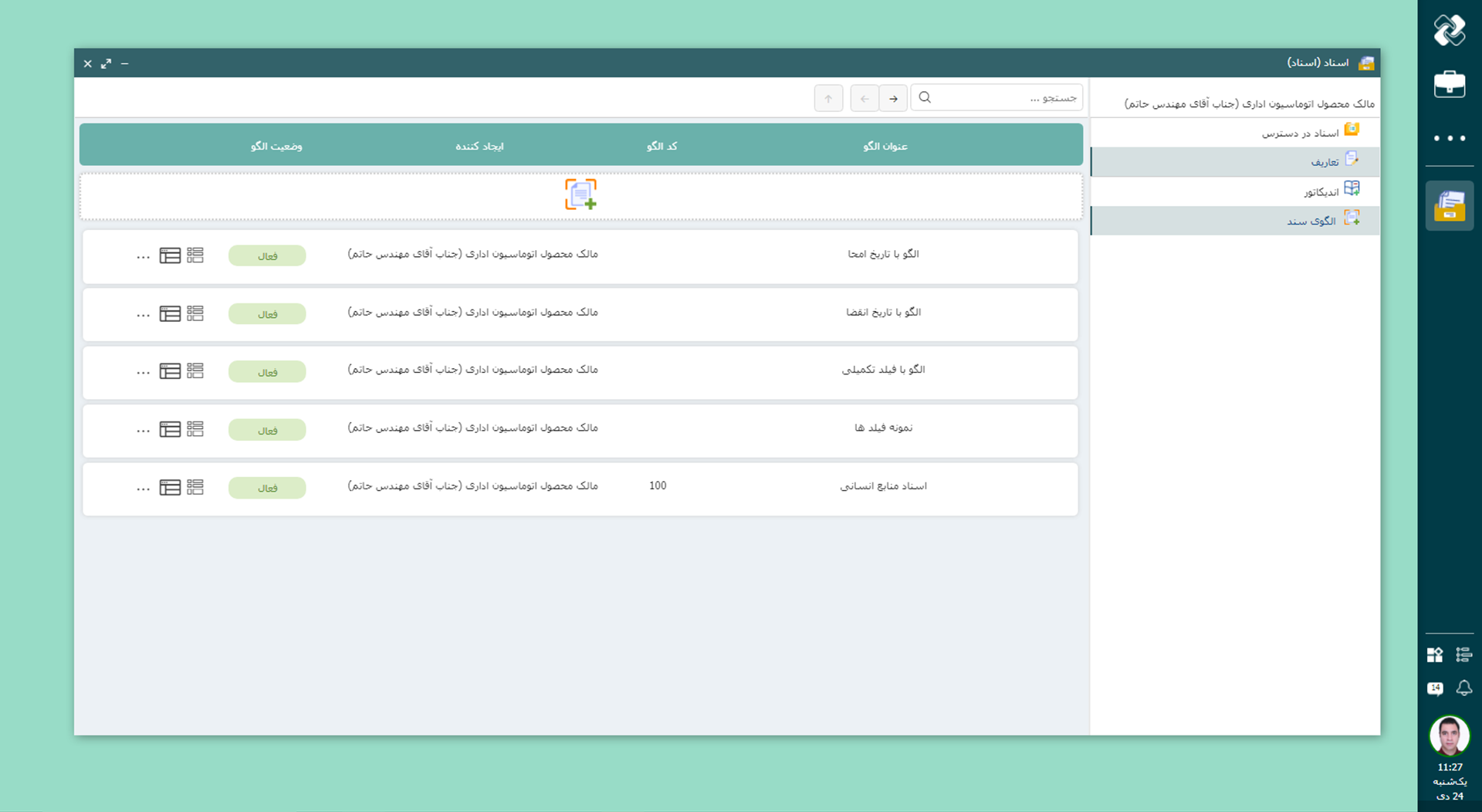
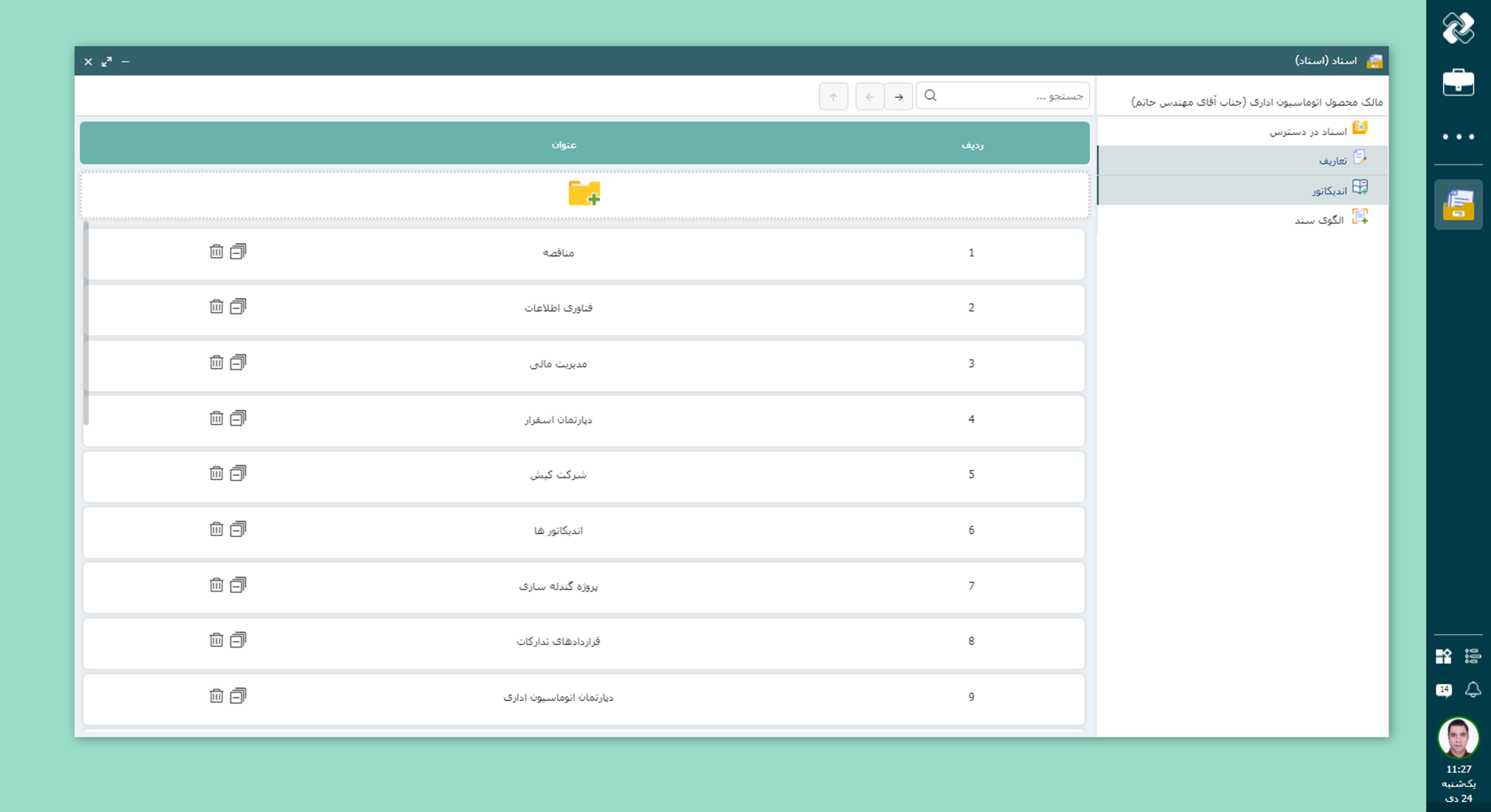
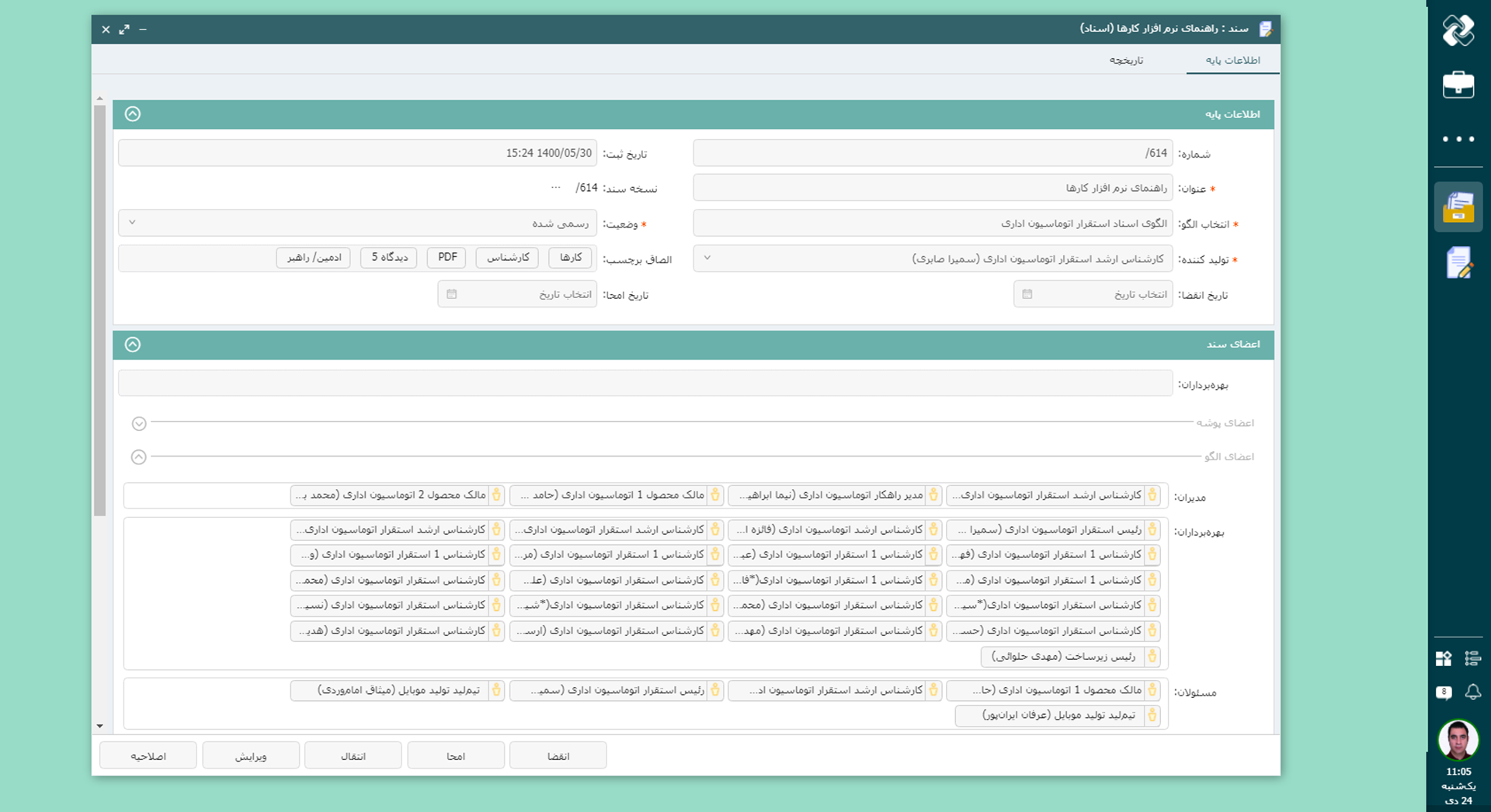
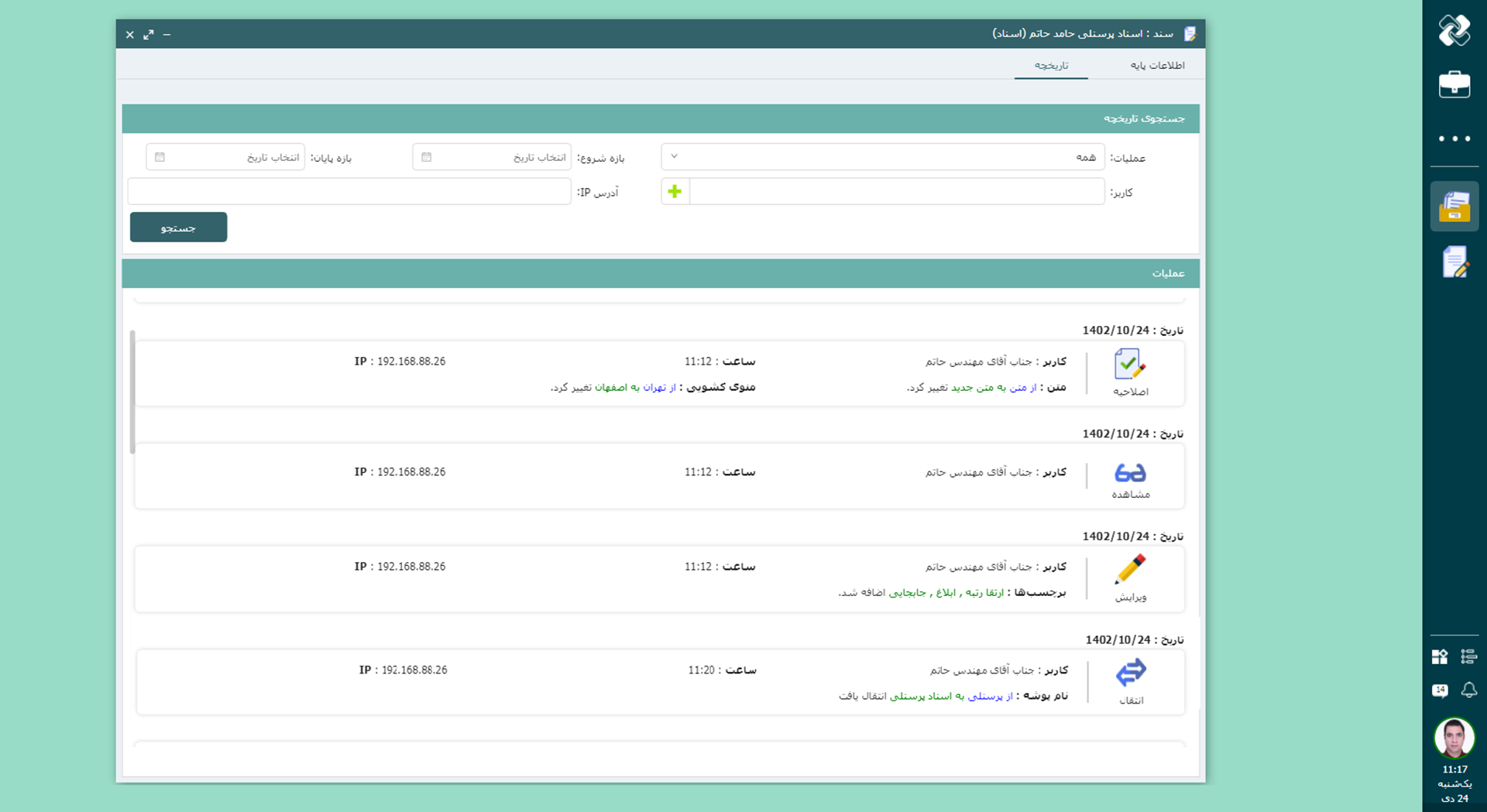
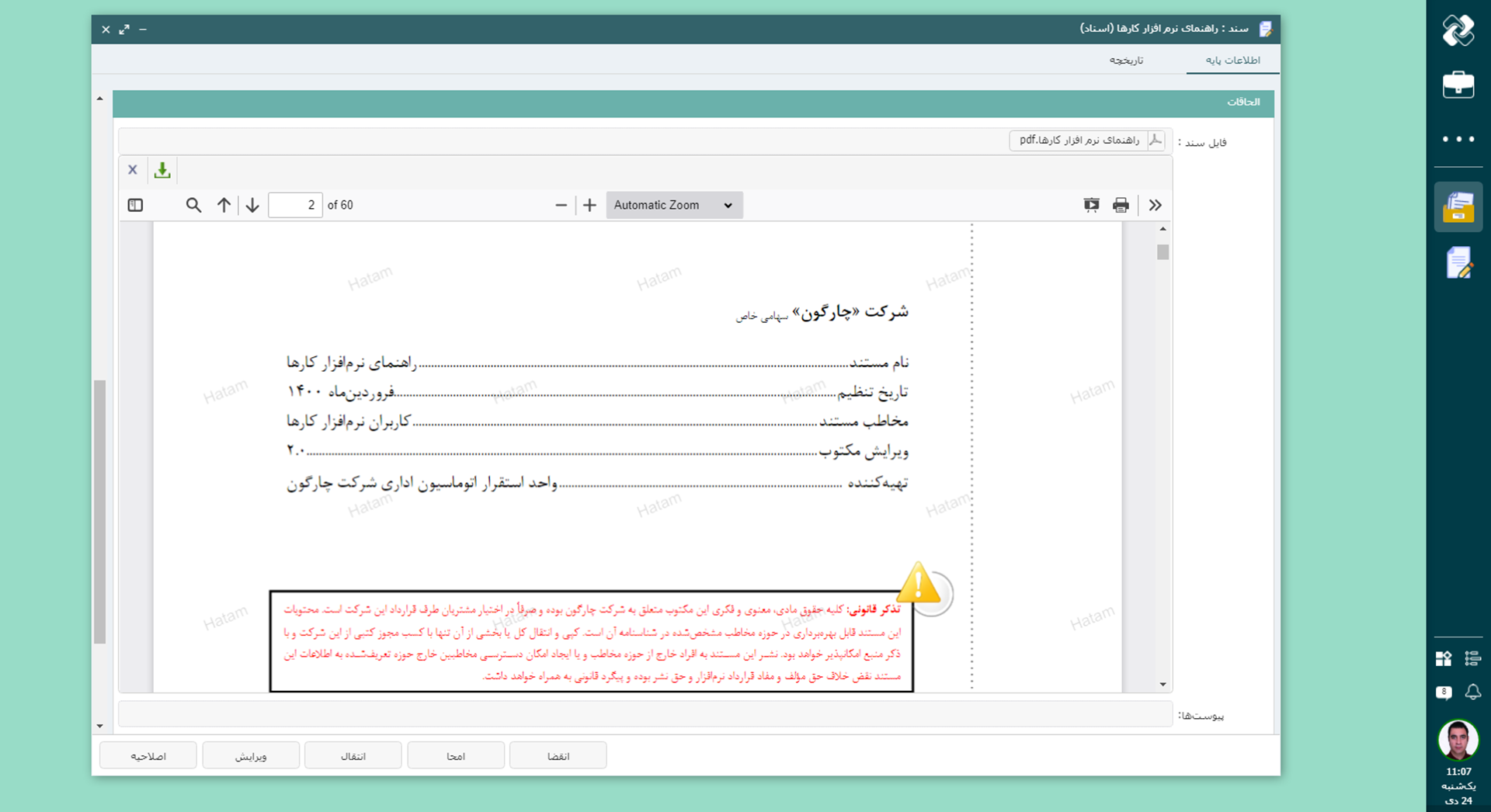
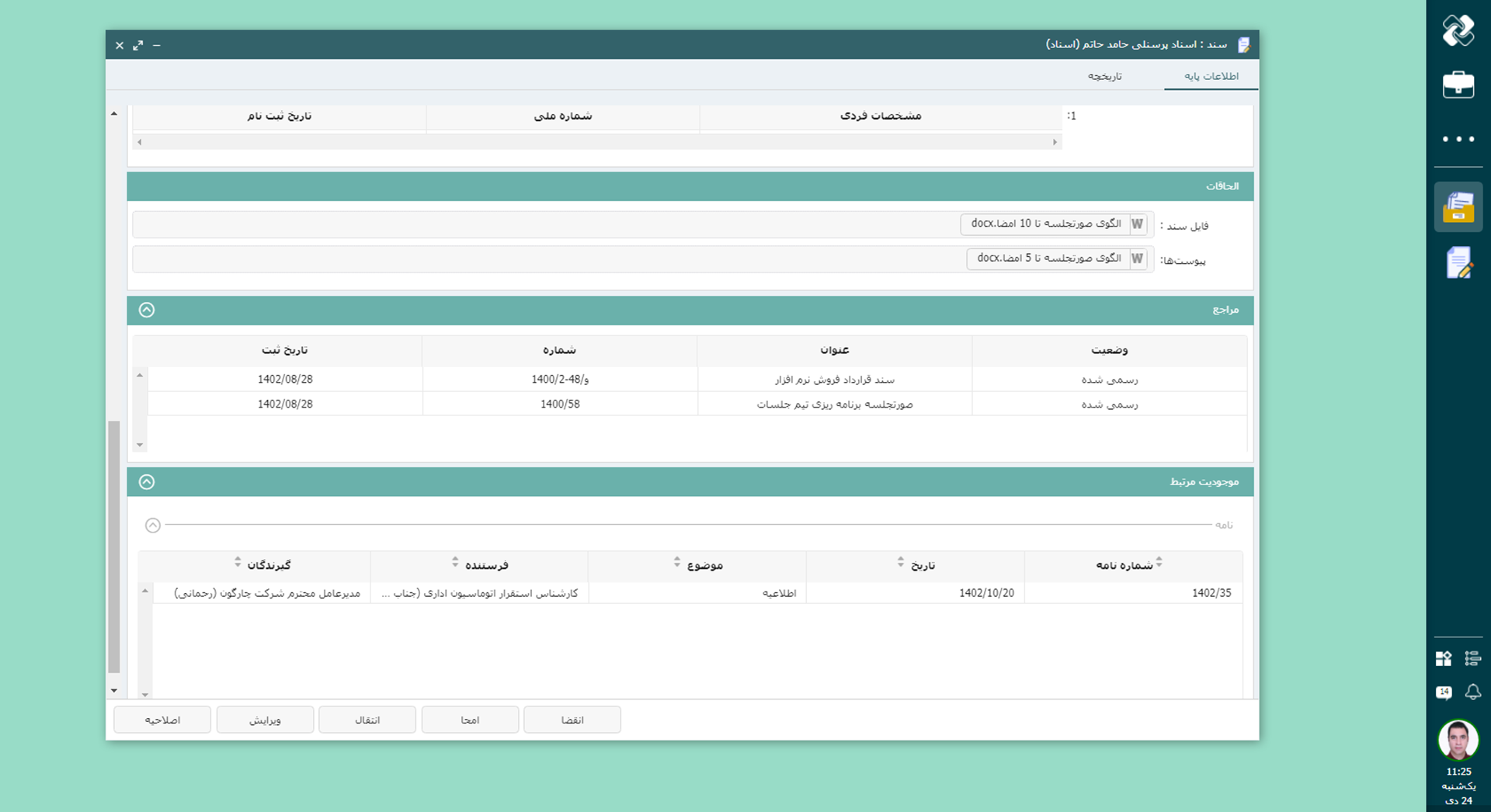
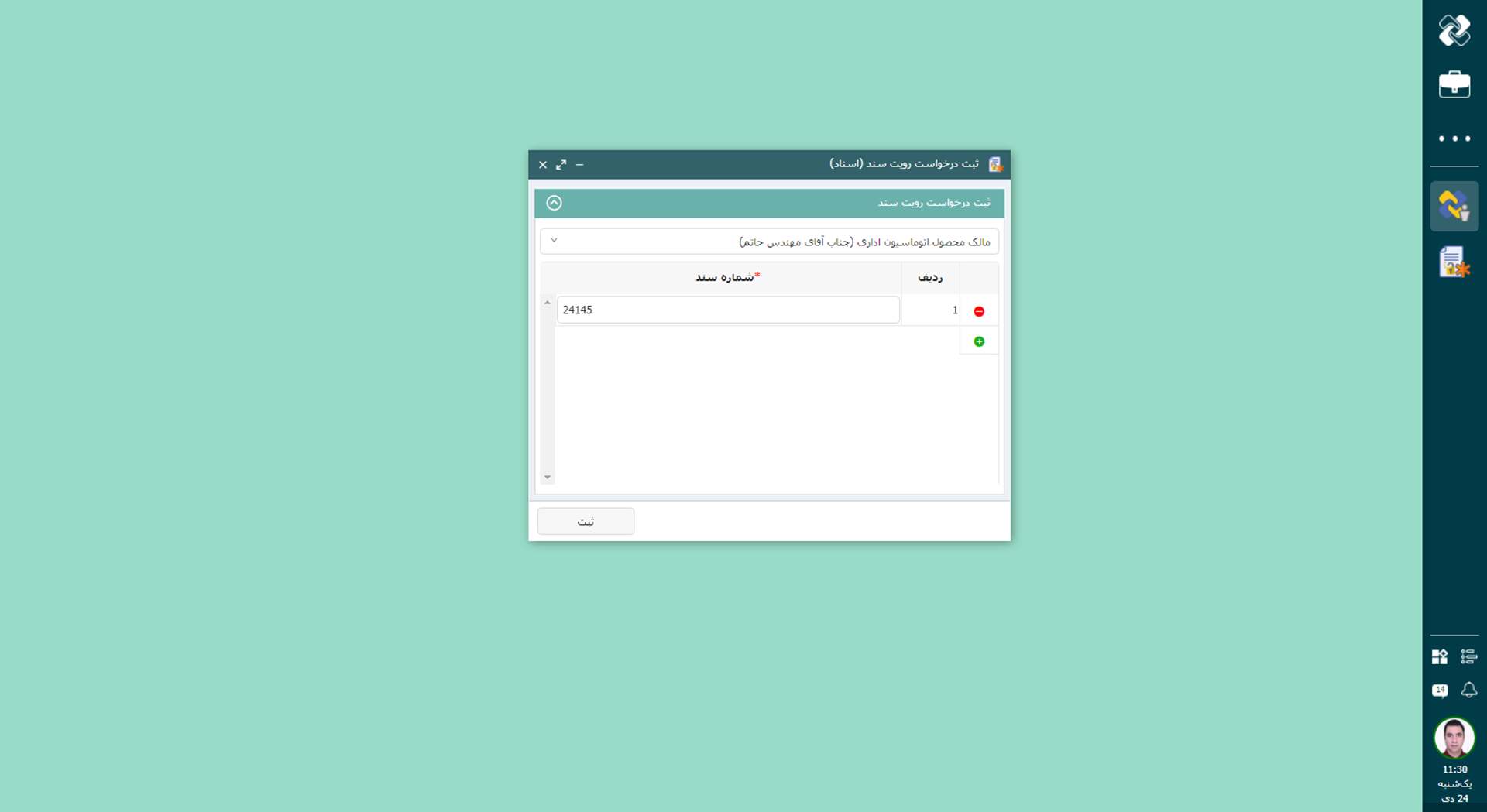
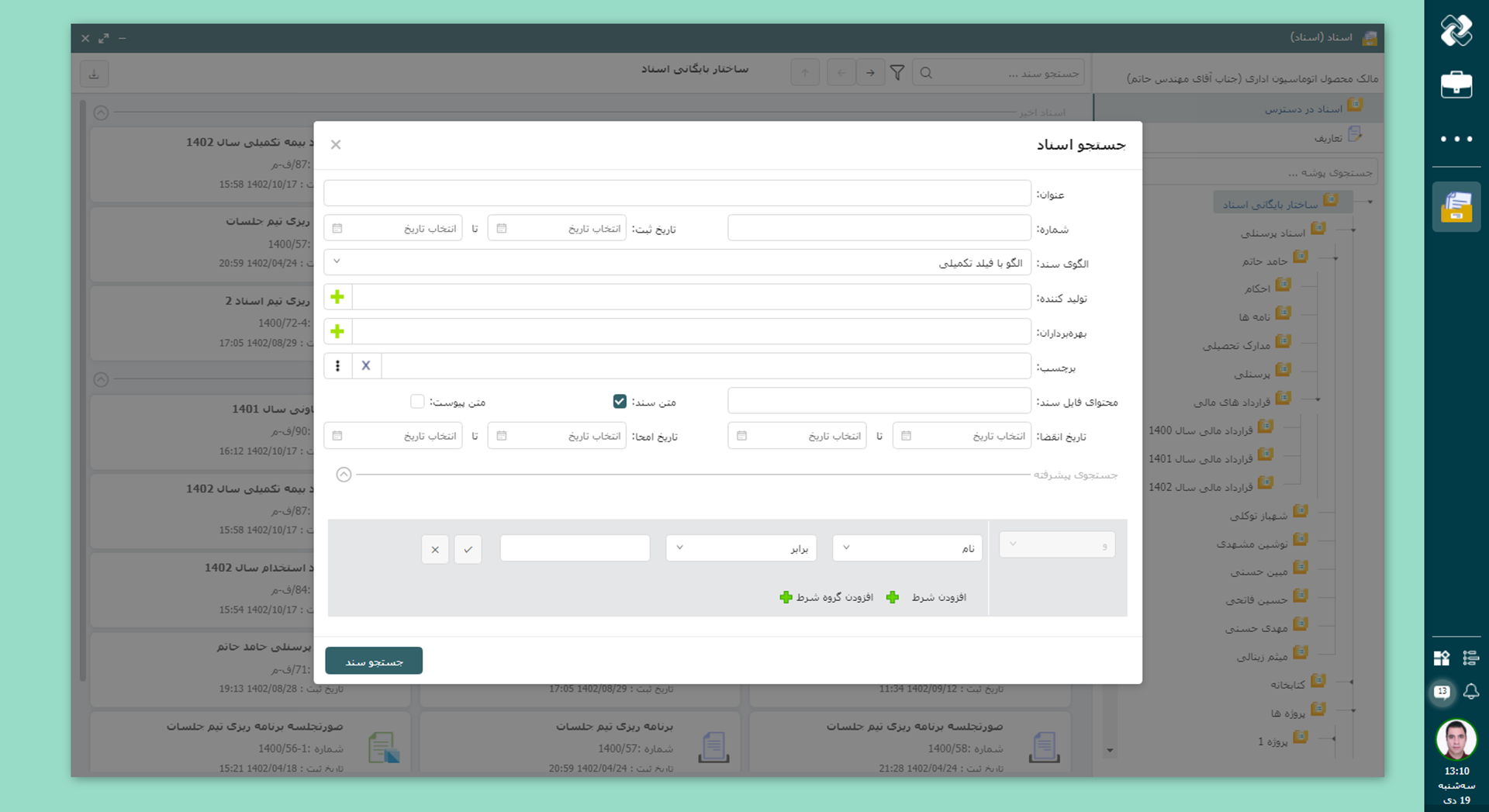
Documents are the living memory and knowledge capital of any organization. During the life of a collection, a large volume of personnel information, management decisions, contracts, correspondence and specialized documentation is created that create the history and experience of the organization. Didgah document software is a way to create coherence, reduce resource waste and increase productivity. Even in organizations that are forced to maintain physical copies, digital recording of documents is still essential. This software creates a lightweight, secure and up-to-date archive with intelligent versioning, recording of change history and document life cycle.
Coordinated with the Structure and Variety of Documents
Didgah document software is designed to adapt to the diverse structures and methods of documentation in a variety of organizations, from private companies to government and project-based institutions. Configuring folders, templates and access levels provides flexibility so that the software can adapt to the procedures and information culture of each organization and meet its specific needs.
Deployment Based on Analysis and Localization
The Didgah document software deployment process begins with a detailed analysis of the organization's information structure, document classification and internal processes. Chargoon’s deployment team, in collaboration with the organization’s experts, designs and implements folder models, document templates and access levels precisely tailored to the organization’s real needs to create the best performance and maximum efficiency.
Professional Support and Constant Companionship
After the system is launched, the Chargoon support team remains with the organization continuously through the ticket system, telephone calls and online communication. With complete mastery of technical and operational issues in the field of document management, the Chargoon team responds to users' questions and problems quickly and effectively, ensuring that disruptions are resolved in the shortest possible time.
Continuous Development with a View to Real Needs
Based on field experience in large organizations and receiving continuous feedback from users, the document software development team is constantly upgrading capabilities, improving performance, and adapting to the latest technologies. This dynamic approach allows the software to meet the needs of the day and the real challenges of information management at any stage.
Collection and Integration of Documents
To end the fragmentation of information across folders, software, and formats, the system centralizes documents. The process involves digitizing paper documents by scanning them and converting them into standard formats such as searchable PDF or Excel. In addition, data integration from other software, whether periodic or real-time via API, ensures accurate and up-to-date information transfer.
Registration and Production of Documents
In addition to collecting information, document registration related to other Didgah software - such as correspondence, meetings and personnel - can be done automatically, with workflow or manually. The system also allows for direct document generation; whether with multi-step workflow or quick registration, to meet all simple or complex document management needs in a unified platform.
Document Structure and Organization
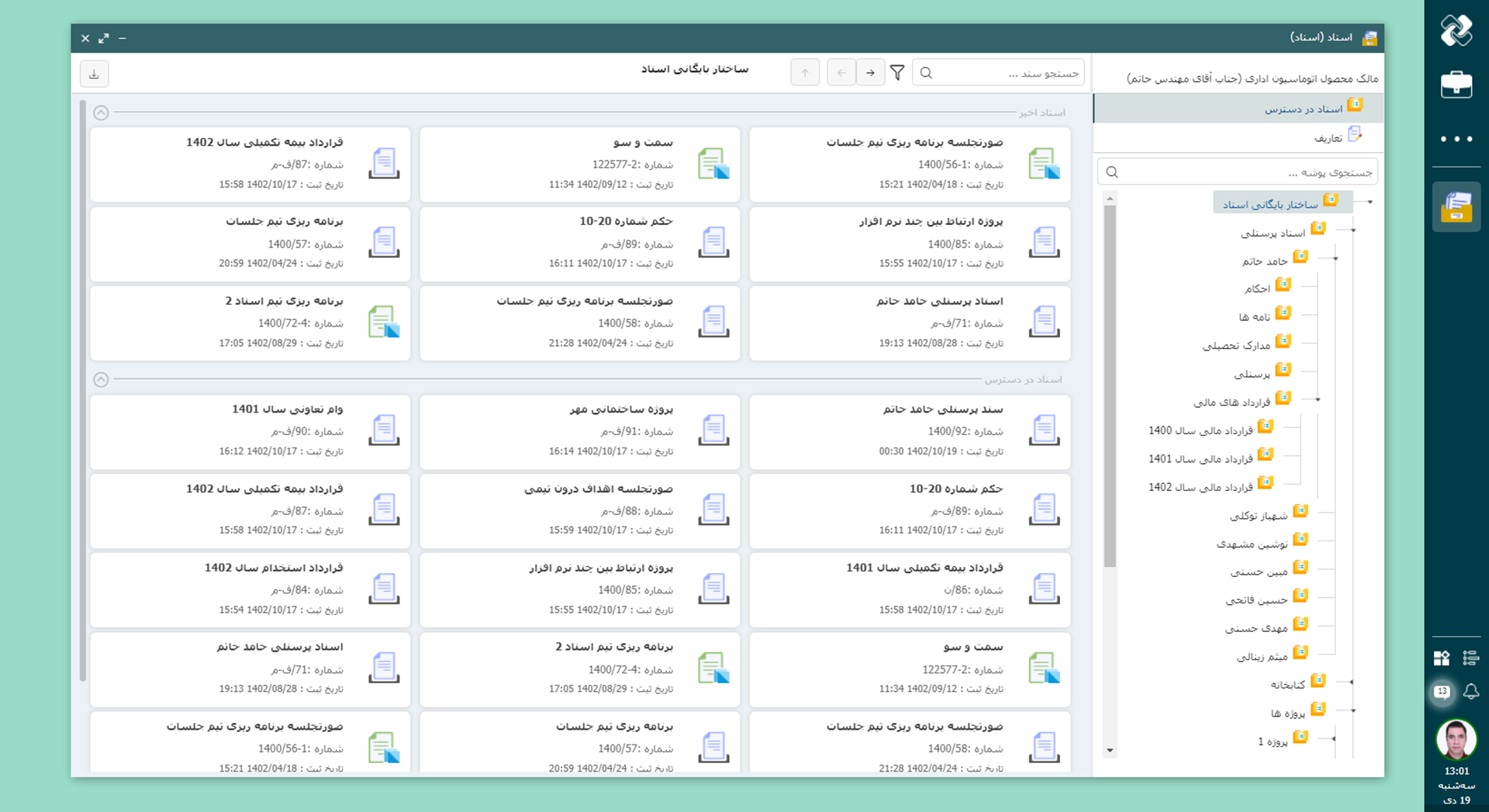
With the variety and high volume of documents in organizations, having an organized and accessible environment is essential. Didgah document software with a customizable tree structure allows the creation of multi-level folders and subfolders to keep documents centralized and coherent. This flexible structure is both fully customizable and provides the basis for accurate classification and quick information retrieval.
Support for Various Document Formats with Data Model
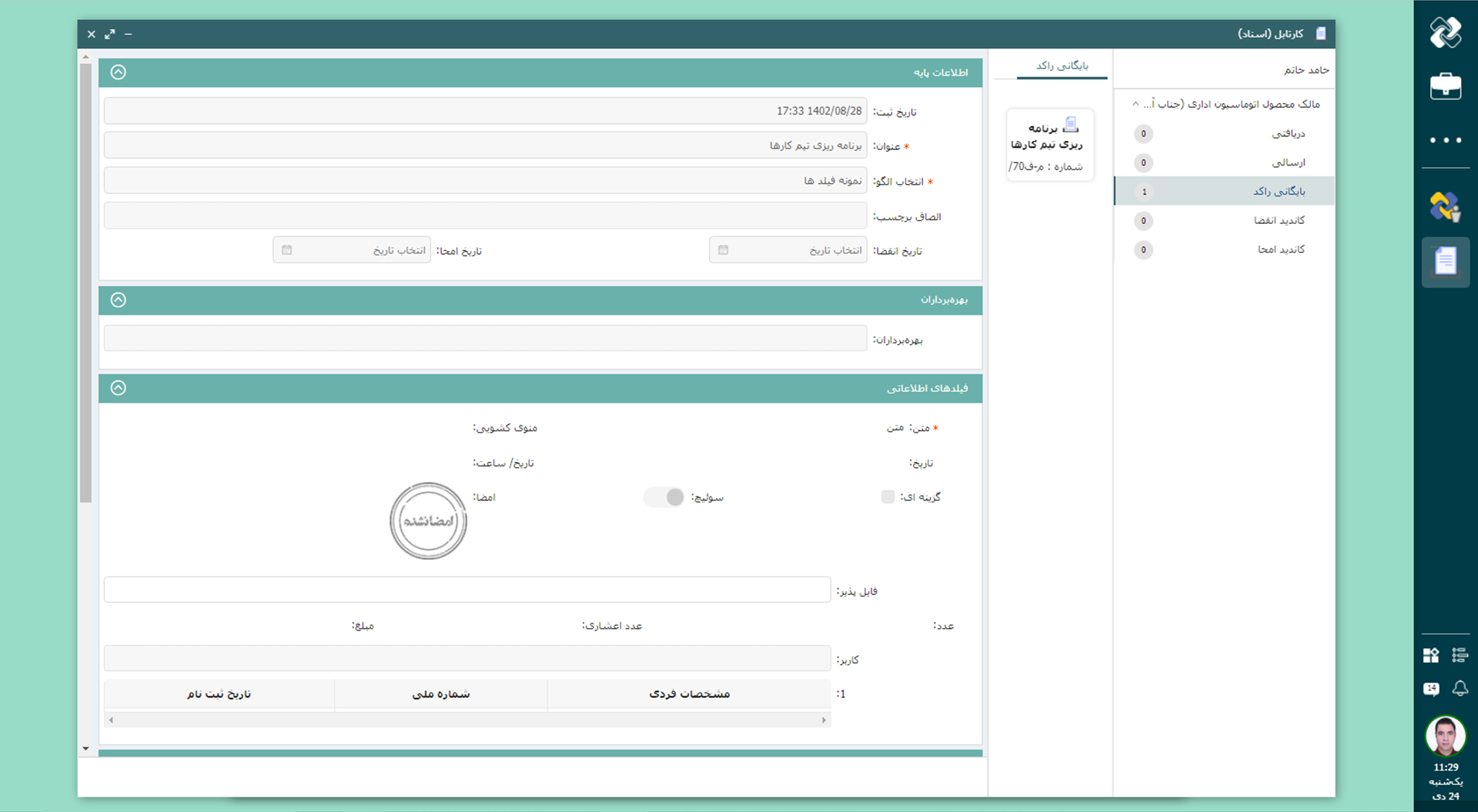
To manage documents with different structures, the document software uses a data model that allows organizations to design and add their own custom templates. This feature allows documents with different formats and structures to be managed properly while providing high flexibility for future development or changes to formats.
Document Security
To protect sensitive information, this system provides multi-layered access control mechanisms, allowing for precise management of permissions for folders and documents so that only authorized individuals have access to specific parts of the organization's content. This approach maintains security at all levels and, along with coherent organization, prevents unwanted access and unauthorized intrusions.
Show more
Documentation Management Features
Advanced paper document digitization
Ability to scan and convert documents to standard formats such as searchable PDF or Excel, with quality control and accurate data entry by expert contractors.
Integration with other systems
Transfer documents from other software automatically via API or periodically with file I/O, to create a unified and up-to-date repository.
Multi-level tree folder structure
Organize documents in customizable folders and subfolders, with precise access control to each section and file.
Data Model Templates
Ability to design and use custom templates for document types with different structures and formats in a single system.
Document Lifecycle Management
Fully supports expiration dates, versioning, moving to dormant archives, and automatic deletion, to keep only valid documents.
Direct or workflow registration
Create documents quickly or through a multi-step process with approval and review, depending on the complexity of the task.
Providing a mobile application to view, search and receive documents at any time and place, suitable for managers and remote workers.
Ability to build a dedicated Data Warehouse
Create a dedicated and secure data repository for each organization, with centralized and structured storage of all document information and the ability to prepare BI reports based on real and up-to-date data.
Using AI artificial intelligence
Intelligent analysis of document data using AI technology to improve search, classification and extraction of valuable information.
Common Organizational Challenges and How Document Management Addresses Them
Document Scattering and Disorganization
In many organizations, critical documents are scattered on paper, digital files or across different systems, and accessing the required document is time-consuming and error-prone. This fragmentation makes unified and centralized document management a major challenge.
Document software provides the ability to centrally collect documents from various sources, scan and convert physical documents, or upload or convert information, files, as well as connect to other Didgah software and external sources via API. These capabilities help the organization manage all its documents in a secure and organized space.
Insecure Access and Sharing
In organizations, some documents are sensitive or irrelevant and should not be published or made available to everyone. Without careful management, access rights can threaten the security of the organization's information and complicate and risk collaboration between teams.
Document software allows you to set precise access levels, manage secure sharing, and control document distribution, so that users only have access to the documents they are authorized to, and collaboration between teams is carried out in a secure and traceable manner.
Convert scattered data into manageable documents
In organizations, documents do not only consist of files, and each unit has its own information; for example, accounting, correspondence, human resources, and logistics, each with different fields and data. Converting all this data into a standard and manageable format is a big challenge for the organization.
Document software, by using template definition with the help of Data Model, enables any type of information and any file format to be stored in a standard form as a document. In this way, the organization's information becomes integrated, trackable and ready to use for reporting and subsequent processes.
Document Lifecycle Management
In organizations, some documents need to be copied, kept for a long time or expire after a while, and some must be destroyed or deleted at the end of their cycle. Manual management of these processes is time-consuming, error-prone and complex, and puts the organization at risk of losing information or violating document retention rules.
Document software enables complete document lifecycle management; Including automatic versioning, expiration, secure archiving and execution of the destruction process based on the organization's policies. These capabilities ensure that the organization ensures that documents are properly maintained, tracked and deleted at the appropriate time throughout their life.
Document Lifecycle Management
1 Management of Credit Period of Documents (expiry Date)
Many documents are valid only for a specific period of time. In this software, the expiration date of the document can be set when registering or via a template. When this date is reached, the document will automatically be removed from the publication cycle or a warning will be sent to the responsible administrator. This feature ensures that users always have access to valid and up-to-date content.
2 Copying of Documents
Whenever a document needs to be reviewed, modified, or updated, the copy feature allows this. This can be done directly or through a document flow. Previous versions remain in the history and the original version can be selected for publication at any time. This feature makes the process of modifying and publishing documents in the organization structured, transparent and in accordance with the rules.
3 Stagnant Archive
Some documents may no longer be useful in the organization's current processes, but they are still necessary for records. These documents can be transferred to the "stagnant archive" after their validity expires. In this case, the document is removed from operational access and is only visible in the archive. This feature creates an accurate and reliable archive and prevents the interference of inactive documents with active documents.
4 Delete Documents
Deletion is the last step in the document life cycle and is used when document retention is no longer necessary. The deletion date can be specified when registering the document or through a predefined template. Upon reaching this date, the document is automatically removed from the publication cycle or by sending a warning to the relevant administrator, and the deletion process is initiated. This feature reduces the volume of unnecessary information and keeps the organization's information space always optimized and organized.
Didgah Documents Mobile App
The mobile version of the Didgah documents software provides users with fast, secure and ASA access to organization documents from anywhere and anytime. With this application, users can refer to, view, receive and review all the documents they have available without the need for a computer or being in the office.
This version is designed especially for managers, experts and employees who are on the move or working remotely, so that they can access important documents in any work situation and make faster and more informed decisions. While maintaining the main structure of the web version, the software environment offers a simple and user-friendly experience on mobile phones that focuses on accessibility, security and speed of operation.
Thus, the Didgah Documents mobile application is part of a seamless chain of user access to organizational information, helping users access up-to-date and accurate versions of their documents at any time.
Chargoon, with its companion approach to software deployment, provides a smooth and hassle-free experience for customers. From inception to full operation, the Chargoon team stands by organizations at every stage to ensure that the software properly serves their goals and needs. After deployment, Chargoon support continues with prompt responses and uninterrupted service. This commitment to companionship and assurance creates an environment where customers can focus on developing and improving their organization with peace of mind.

Deployment and Support Services
Chargoon takes a collaborative approach to software implementation, providing customers with a smooth and straightforward experience. From the initial setup to full deployment, the Chargoon team supports organizations at every stage to ensure the software effectively serves their goals and requirements.
After implementation, Chargoon’s support continues with prompt responses and uninterrupted service. This commitment to ongoing assistance and peace of mind allows customers to focus confidently on developing and improving their organizations.
Document Management Integrations with Other Software
Office correspondence software
Letters registered in "Correspondence" can be converted into an official document in "Documents" and used as an attachment.
Meeting Software
Meeting minutes registered in "Meetings" can be converted into an official document in "Documents" and stored in the archive.
Personnel Software
Personnel orders are converted into official documents in "Documents" and archived.
BPMS Software
BPMS process outputs are converted into official documents in "Documents" and recorded.
To make a smart choice, consider all aspects
What services are provided after preparing the document software?
After the provision of the software, the Chargoon support team provides services including installation and commissioning, user training, technical support and periodic software updates.
How can I contact the Chargoon support team?
You can contact Chargoon support team via phone number, email or online support portal.
How is the document software deployment process?
The deployment process includes the steps of requirements analysis, software design and implementation, testing and evaluation, and finally user training and final delivery.
How long does it take to deploy document software?
The deployment time depends on the complexity and volume of the organization's needs, but usually ranges from a few weeks to a few months.
Can document software be integrated with other systems?
Yes, this software can be integrated with meeting software, office correspondence, etc. and can be coordinated with existing systems in your organization.