Office Correspondence Software

In many organizations, searching for correspondence or checking the status of a letter has become a time-consuming and confusing task. Scattered documents, delayed responses, and concerns about security or data loss slow down the collaboration process. Chargoon Didgah office correspondence software, one of the office automation modules, organizes these complex processes in a structured, integrated and secure manner so that correspondence always remains transparent, accessible and traceable, and the speed and reliability of the organization in carrying out its tasks increases.

Share
Correspondence Management Features
  • Manage multiple work inboxes simultaneously

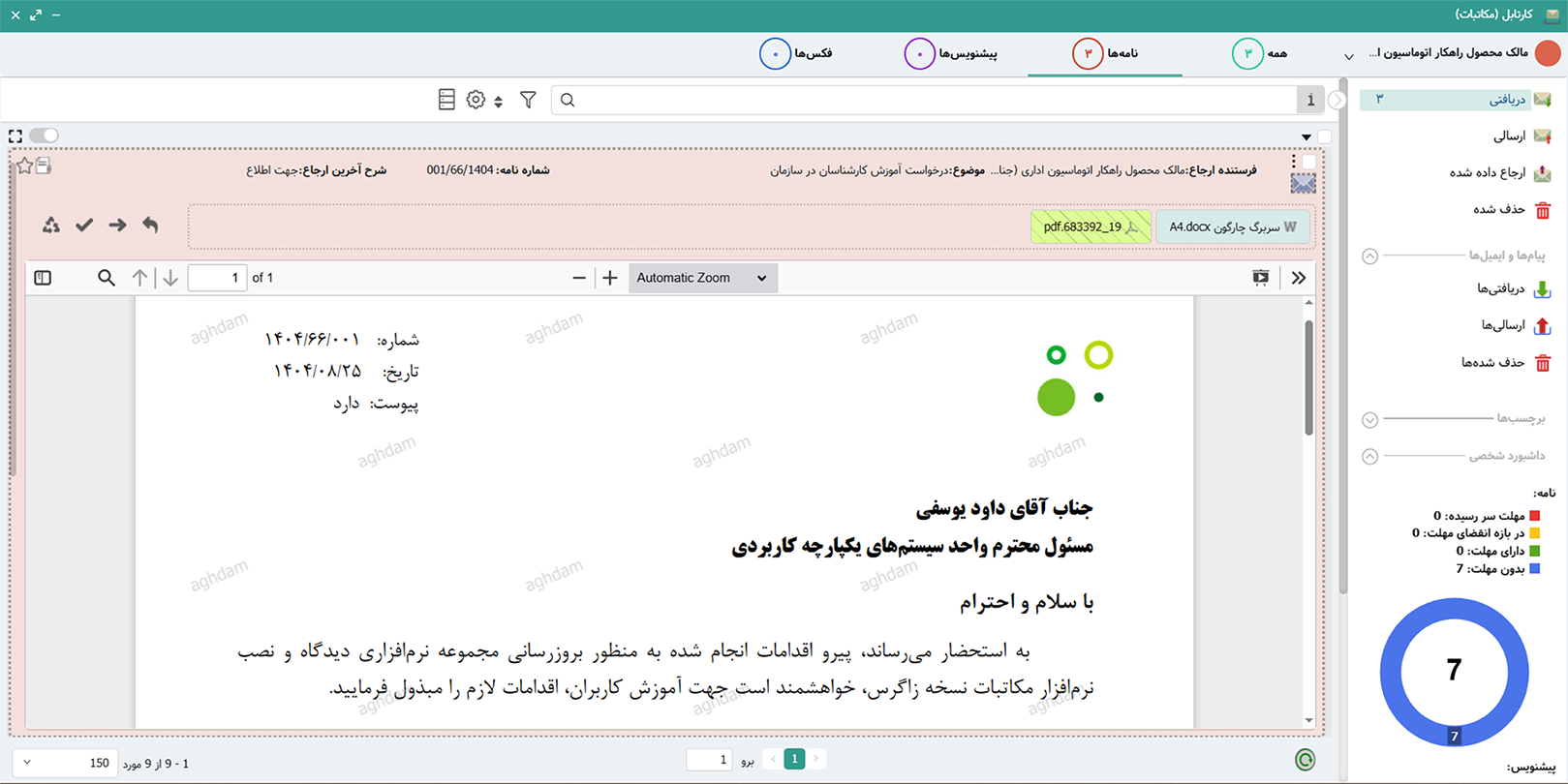
    Each user has their own work inbox (for each position) and can easily manage multiple work inboxes simultaneously, without confusion, and in one window. All these features are always available not only on the desktop, but also with the mobile version (Android, iOS, and the advanced web version (PWA)). Zagros Correspondence work inbox also allows for smart sorting of letters and viewing multiple letters simultaneously.

  • Smart viewing and action on correspondence

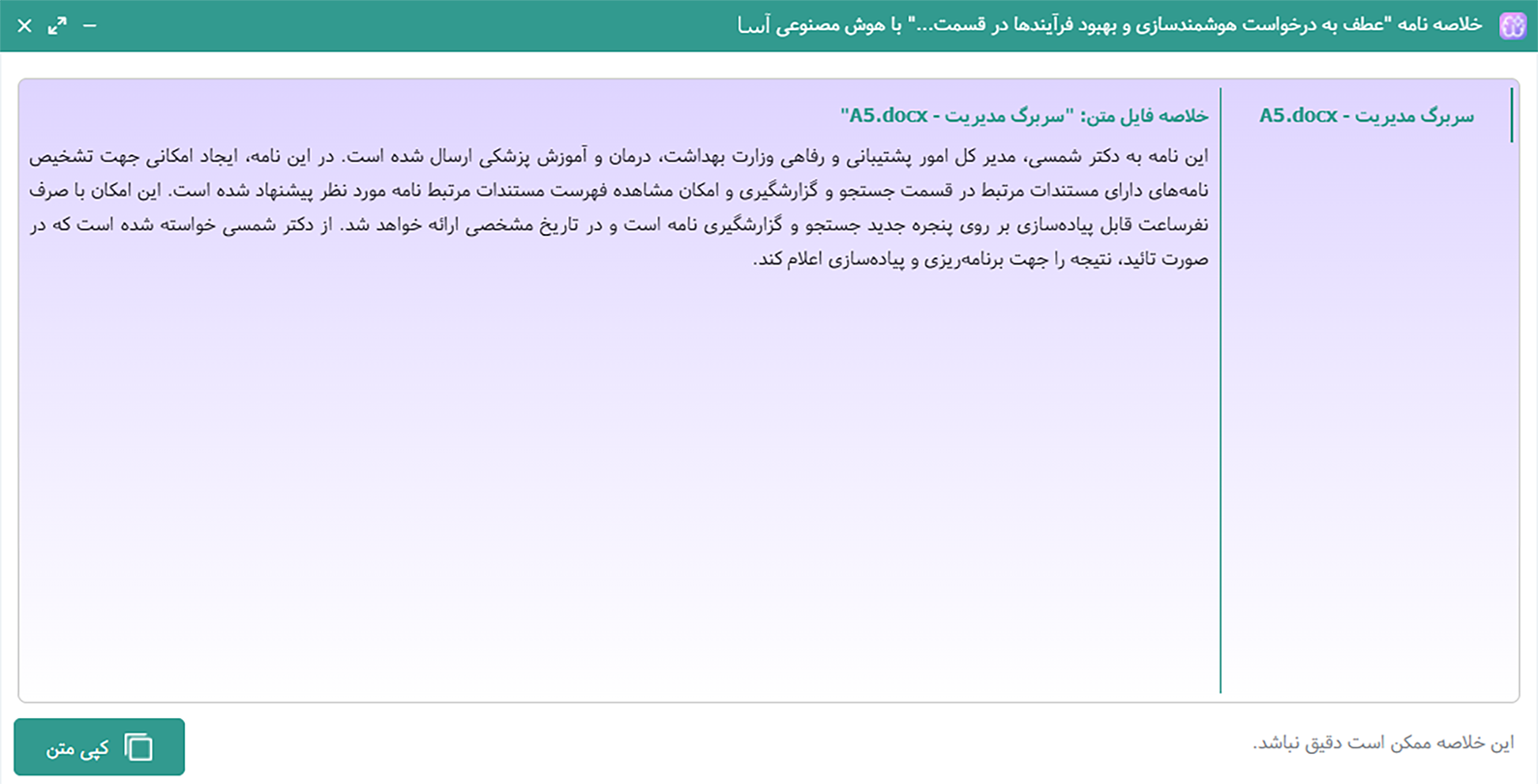
    With the help of artificial intelligence, the important content of letters is displayed in summary form so that you can make a decision without having to read the entire text. Zagros Correspondence Cart allows for smart actions (referral, closing, etc.) on letters so that users have more time to deal with other daily matters. When registering letters, the smart system determines whether the draft should be registered as an internal letter or a sent letter.

  • Custom templates and forms

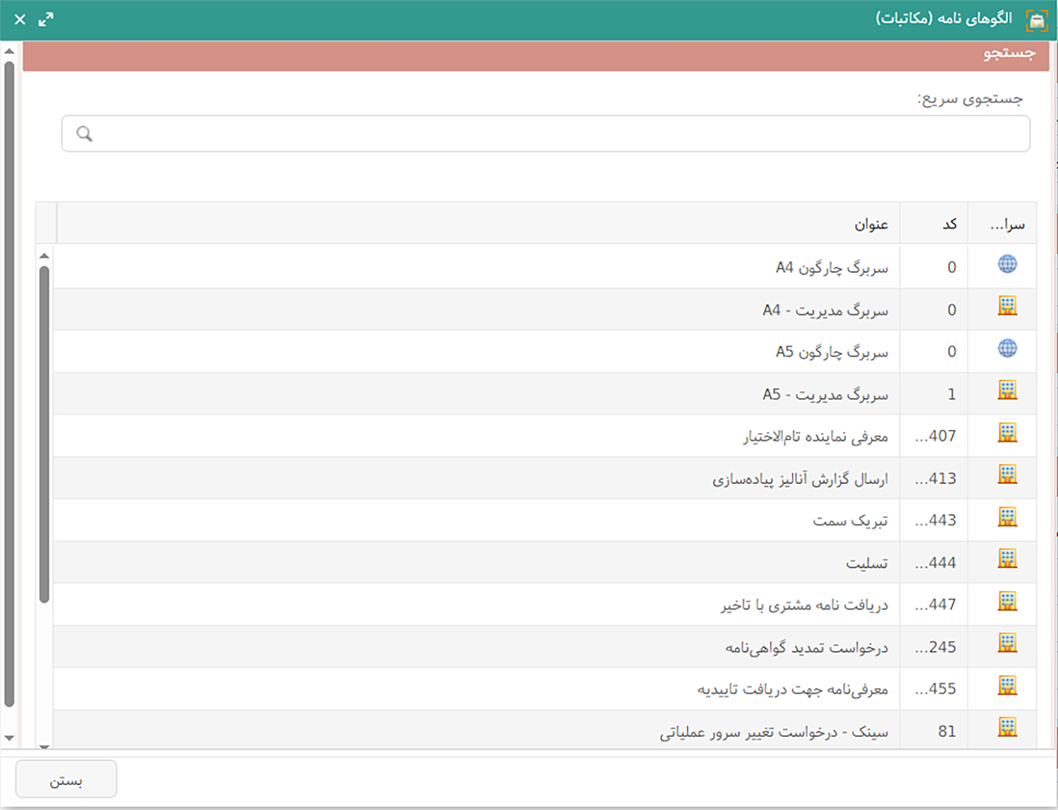
    In the correspondence system, it is possible to define any number of letter templates or forms in Word format; with support for the production and circulation of letters and multi-signature forms, each unit can have its own templates available. Through the smart template, it is possible to generate letters in the web and mobile versions without the need to install MS Word. You can avoid defining similar and multiple letter templates by using the ability to insert dynamics, title and contact information of the sender unit in the text of the letters.

  • Flexible approval and signature

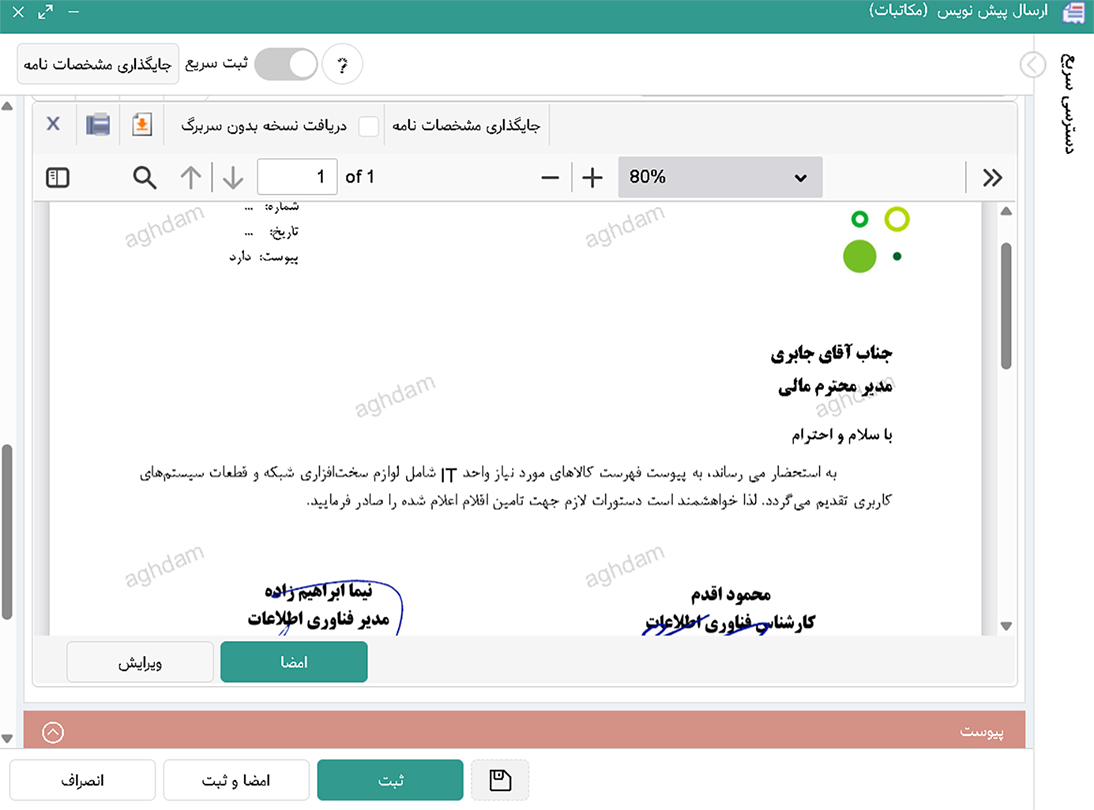
    Users can edit the received draft, the history of changes compared to previous versions is maintained in the system and is available to users. Users can approve or sign the draft, add the required notes while referring to colleagues, and perform the referral operation. It is also possible to define multiple signatures with different titles and colors for each user.

  • Preparing a similar letter and flexible printing

    Create a new version from an old letter or draft with a few clicks and prepare and send the correspondence template in the fastest time. You will also have the ability to receive and print different copies after registering the letter. Also, special copy fax and group printing help you produce a letter with the same text for a large number of recipients and print and send a dedicated version for each recipient.

  • Flexible Secretariat Infrastructure

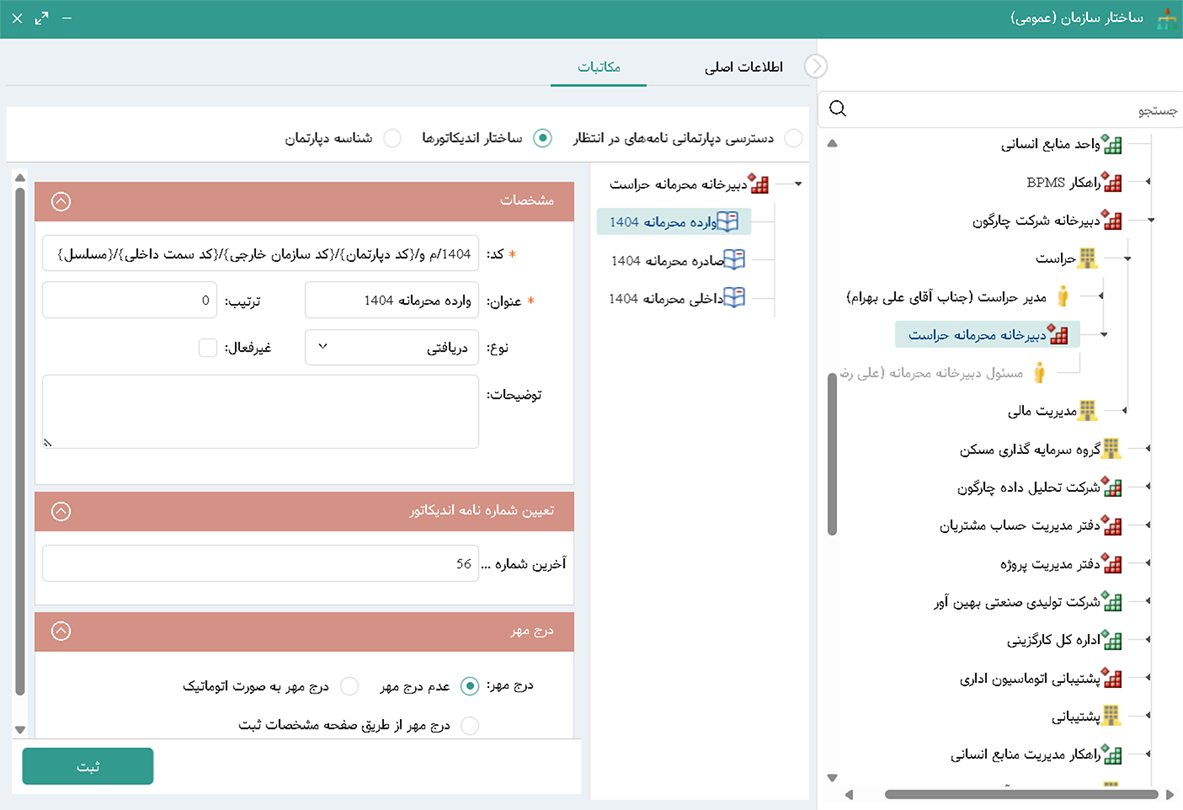
    Whether you have a unified structure, multiple units or independent servers, Didgah correspondence software allows for simultaneous and integrated management of correspondence with different secretariats and custom indicators. You can also generate and send secretariat and confidential letters at the same time as regular letters, in the software with a single structure.

  • Complementary intra-organizational communications

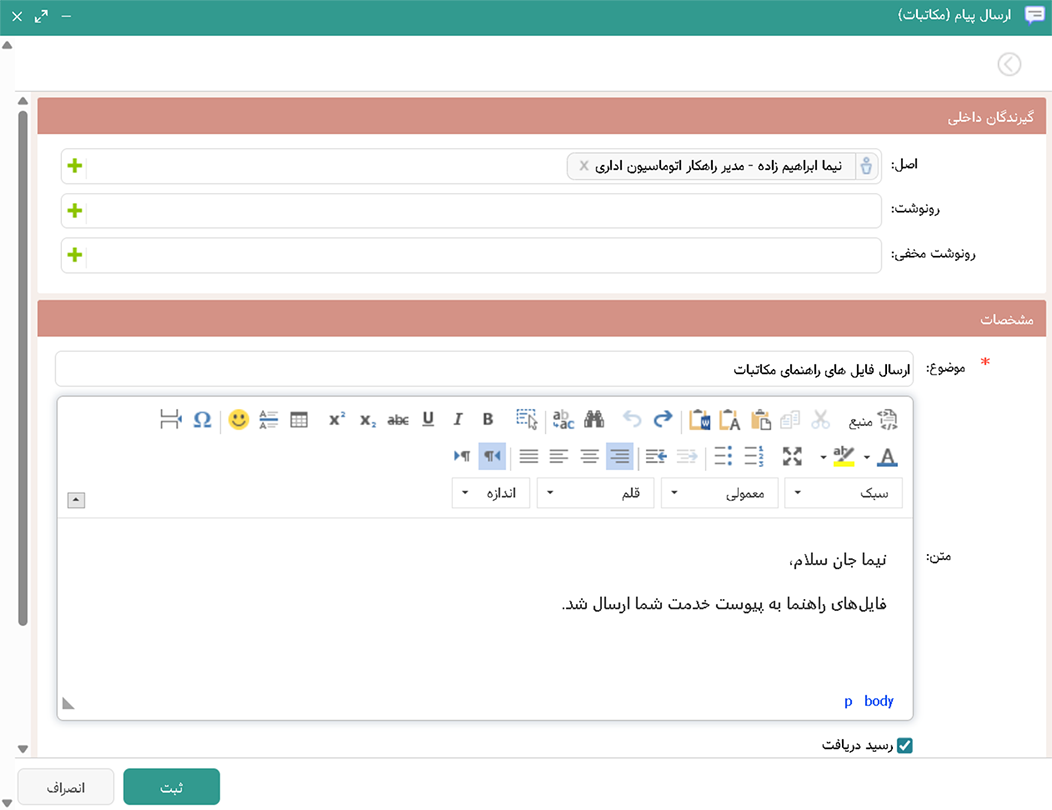
    In addition to letters, there is the possibility of sending internal messages for quick communication and informal correspondence, as well as the possibility of directly converting letters into documents and systematically connecting correspondence to personnel files, meetings, related documents, financial and other Didgah software so that information is available to users in an integrated platform between different software, respecting access levels.

  • Integration with external systems

    Your correspondence can be sent and received via fax, email or electronic exchange platforms (ECE and ECE+). With open and standard APIs, any external software can easily be served by the correspondence software. Also, through data conversion, users can seamlessly access the correspondence of the organization's previous automation system and refer to it in their correspondence.

  • Advanced Management Control

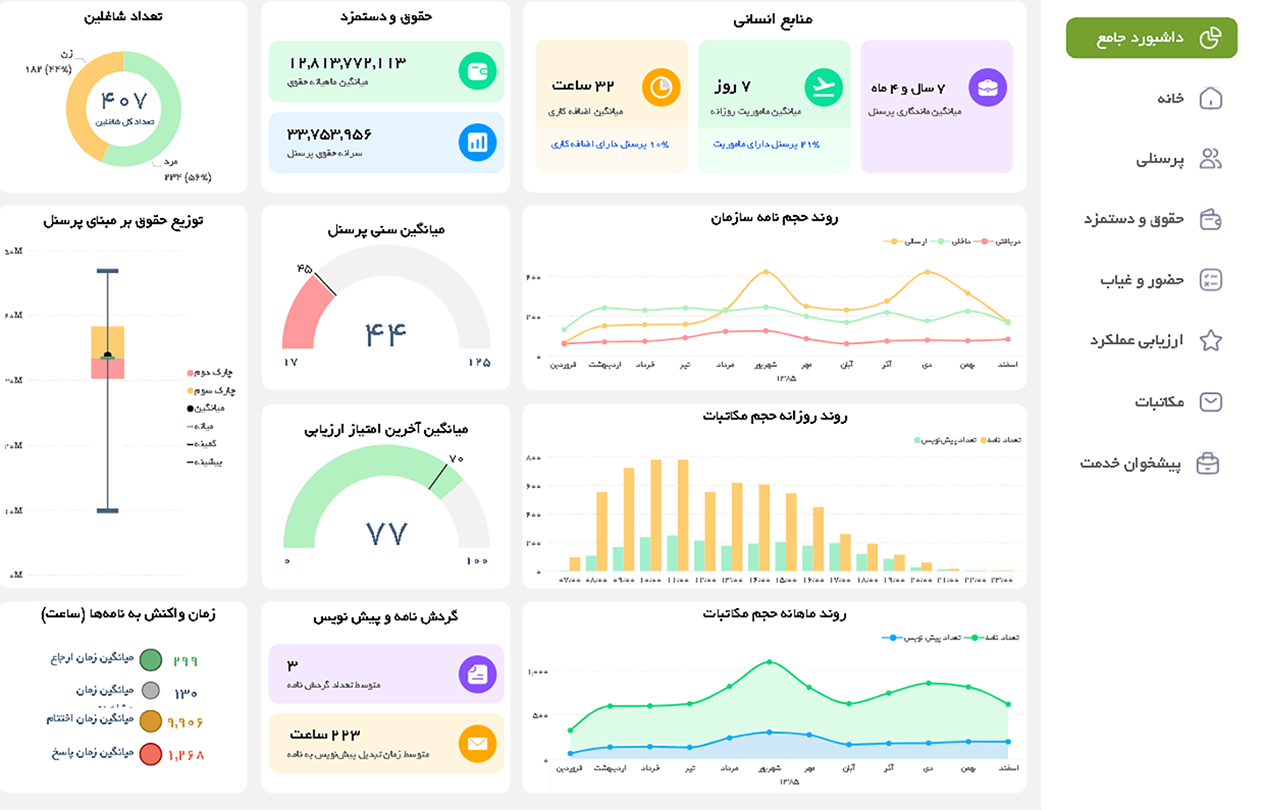
    From the volume of incoming and outgoing correspondence from the organization, to calculating the speed of response and user reaction to correspondence, all indicators can be analyzed on the management dashboard.

Didgah Office Correspondence Services
ECE and ECE + Service Email service Sync Service Shams service Fax Service Physical letter authentication system
ECE and ECE + Service

The Electronic Correspondence Exchange (ECE) protocol is designed to create fast and secure communication between different correspondence software and allows the exchange and tracking of letters. Its capabilities include the following:

  • Sending and receiving attachments and registration information between different correspondence software
  • Receiving a letter directly through ECE and registering it as an incoming letter
  • Searching and reporting the status of sending ECE letters
  • Displaying the registration number and date of the letter (receipt of registration of the letter in the destination organization) sent to the destination
  • Returning the ECE letter to the sender in the form of a description
  • Separate ECE mail receipt to a specific secretariat or department with an independent email account
  • Send mail with a different ECE address for specific organizations

ECE+ service is provided for the case where both the sender and the recipient use the correspondence software "Didgah", and adds the ability to view references and track the mail in the destination organization.

Email service
Email service

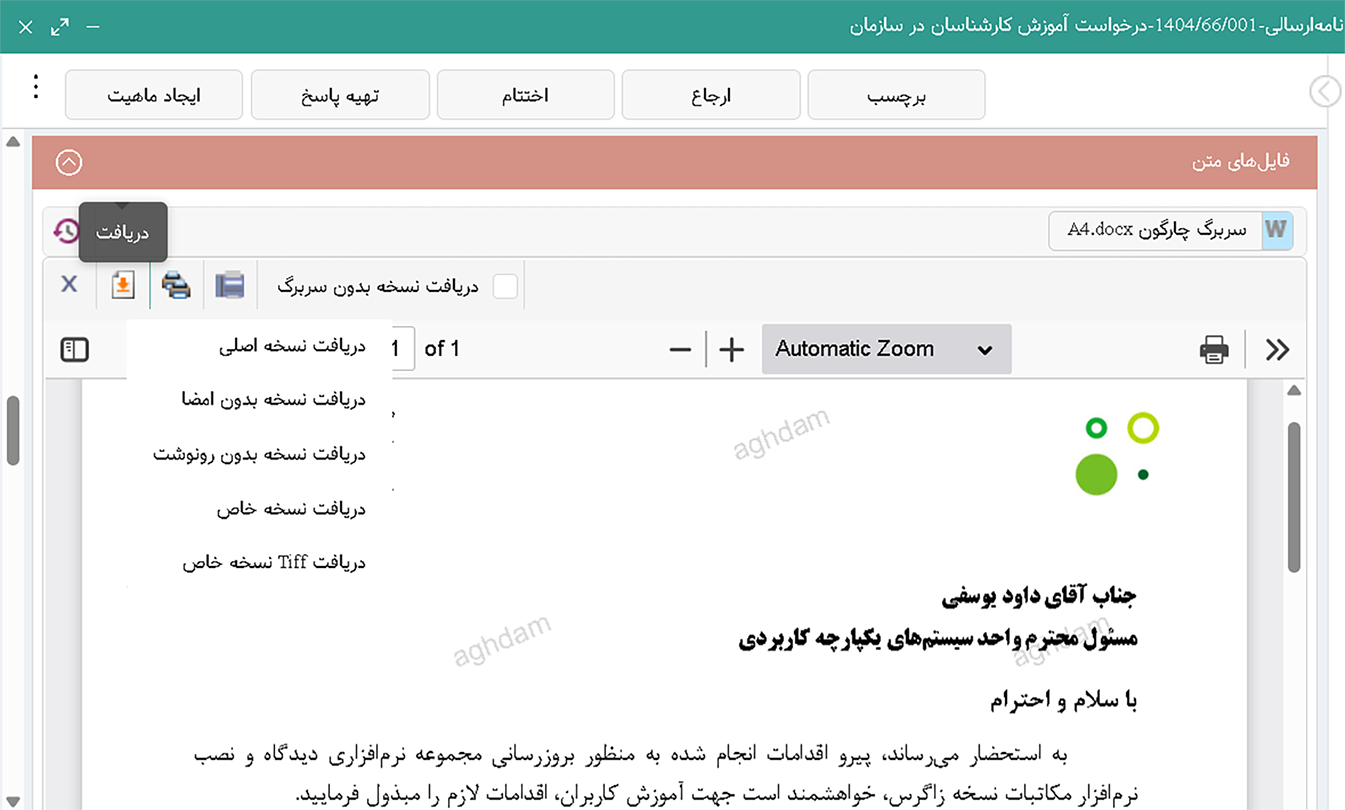
The email service in office automation provides the ability to send, receive and register emails in the software and manages official communications in a structured way. Incoming emails can be directly entered into the users' folders and converted into letters and circulated. This service provides the ability to record, archive, refer and track emails, along with access control and information security. It also allows for the direct conversion of correspondence into emails and their sending.

Key Benefits:

  • Automatic recording and archiving of incoming and outgoing emails
  • Direct conversion of emails into organizational circulation letters
  • Increase security and access control to correspondence and maintain information integrity
  • Report and track email status
  • Reduce human error and increase response speed
Sync Service
Sync Service

The Sync Service in Didgah Automation is an advanced solution for synchronizing and freely circulating emails between independent servers of an organization. This service allows users of organizations that have multiple data centers or branches with separate servers to independently record and manage their correspondence on each server and to exchange and track it between different servers.

Key benefits of the Sync service:

  • Free circulation of correspondence between recipients on different servers
  • Bilateral observation of tracking and circulation of letters on both servers
  • Maintaining the independence of servers along with the integrity of information
  • Increasing transparency and speed of response in multi-branch organizations
Shams service
Shams service

Shams service (National Document Identifier) is a unique identifier for each letter or administrative document that enables the automated tracking, identification and registration of inter-organizational correspondence.

Shams stands for "National Document Identifier"; A unique code assigned to each letter or official document in office automation. This identifier is generated based on a combination of several information items (such as letter number, date, sender, recipient, etc.) and is usually inserted as a QR Code in the letter header or body.

Key benefits of Shams:

  • Accurate and fast tracking of letters at the national level between executive agencies
  • Increase the security and validity of documents through a unique identifier
  • Facilitates the inquiry, tracking and archiving of documents in various organizations

This service is especially vital for government organizations and institutions that have a high volume of inter-organizational correspondence. Using Shams, each letter will have a specific identity and be traceable, even if it circulates between several different organizations.

Fax Service
Fax Service

The digital fax service in office automation provides the ability to send and receive faxes through software without the need for a physical device. This service simplifies and speeds up office processes by converting file and letter attachments into digital files. Faxes are received and sent directly to users' folders and have the ability to be resent, scheduled for sending, and archived. This service also ensures information security to a high degree by sending and receiving digitally and controlling employee access.

Benefits of digital fax service:

  • Reduce response time and increase productivity
  • Eliminate physical fax machines and their maintenance costs
  • Increase security with digital registration and access control
  • ASN archiving and searching of incoming and outgoing faxes
Physical letter authentication system

Didgah's physical letter authentication system is designed to increase transparency, security, and speed in organizational correspondence and reduce in-person visits. This system helps organizations ensure that the delivered copy matches the original copy on the originating server when registering physical letters.

In many organizations, inter-organizational letters may be subject to errors, defects, or illegibility during transmission, which leads to incorrect information being recorded and additional costs being incurred. The physical letter authentication system solves this problem by being able to match the physical and electronic versions.

The authentication process involves creating and printing a QR code on the letter, scanning it at the destination, and receiving a confirmation of authenticity. The result is reduced costs for the organization, increased security and assurance of the authenticity of letters, eliminating time-consuming steps, and facilitating the process for users and clients.

In short, this system is a smart tool for fast and secure validation of inter-organizational correspondence, which enhances document security and trust in administrative communications.

Correspondence Management BI Dashboards
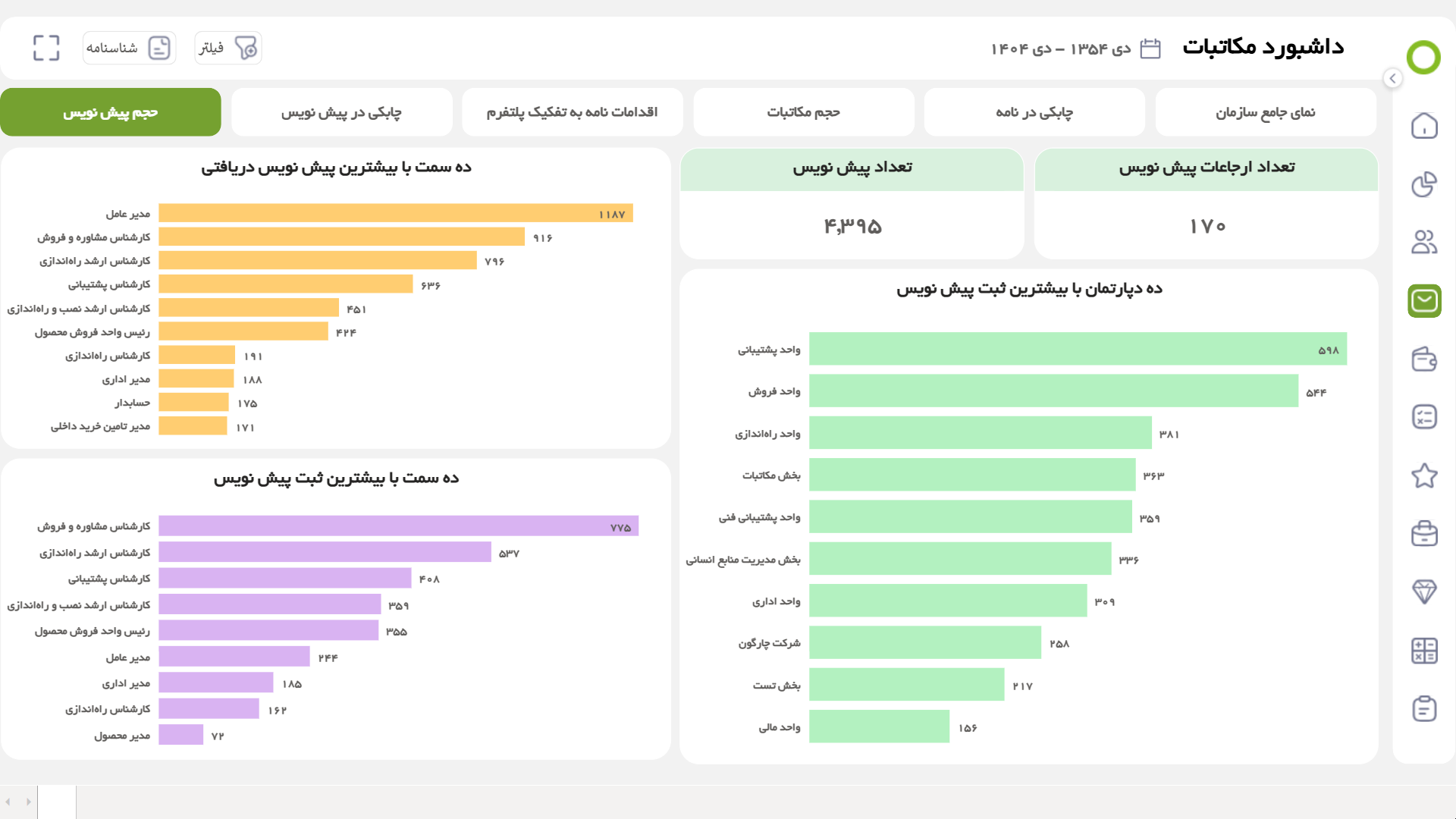
  • Draft volume dashboard
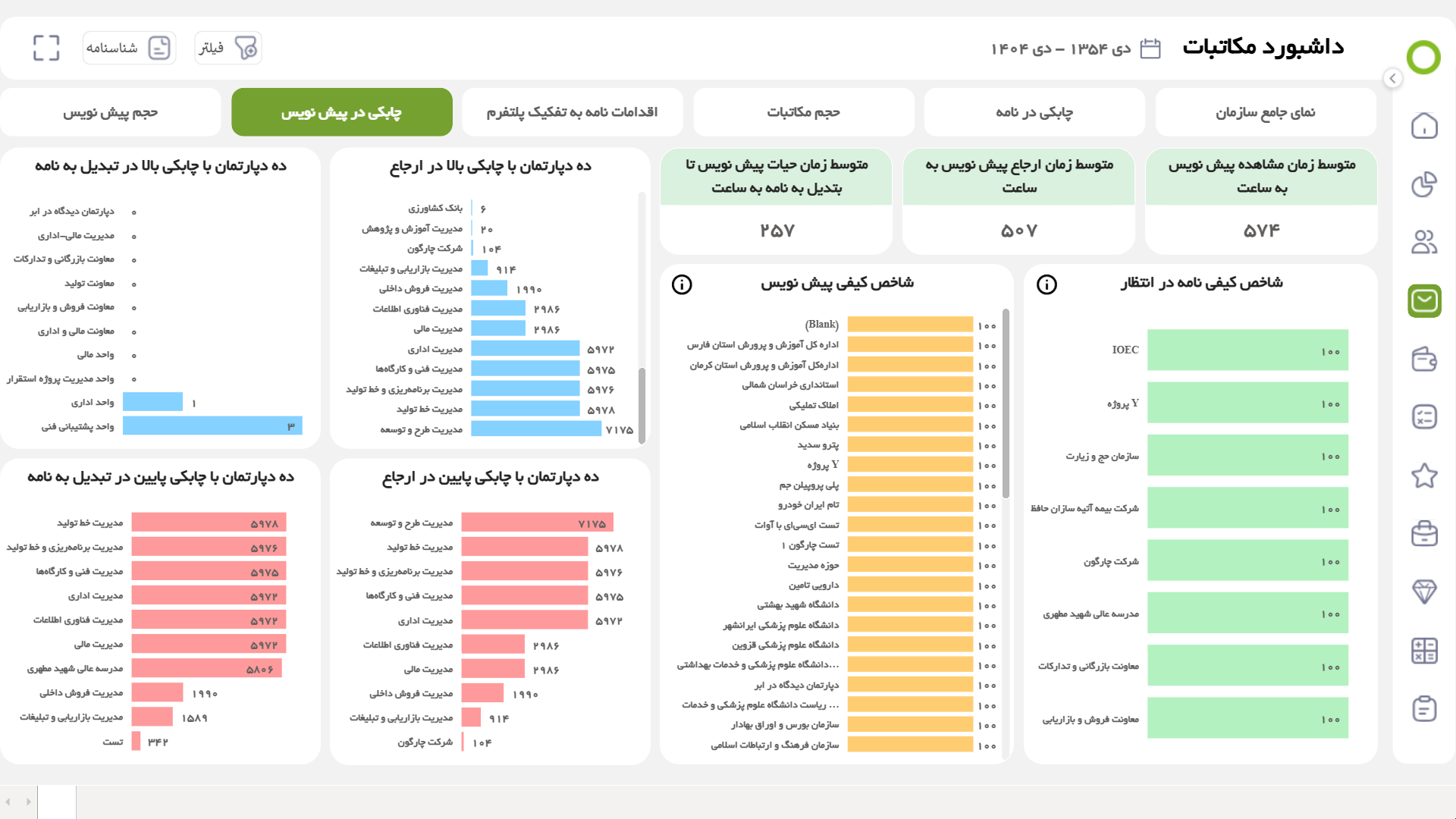
  • Draft agility dashboard
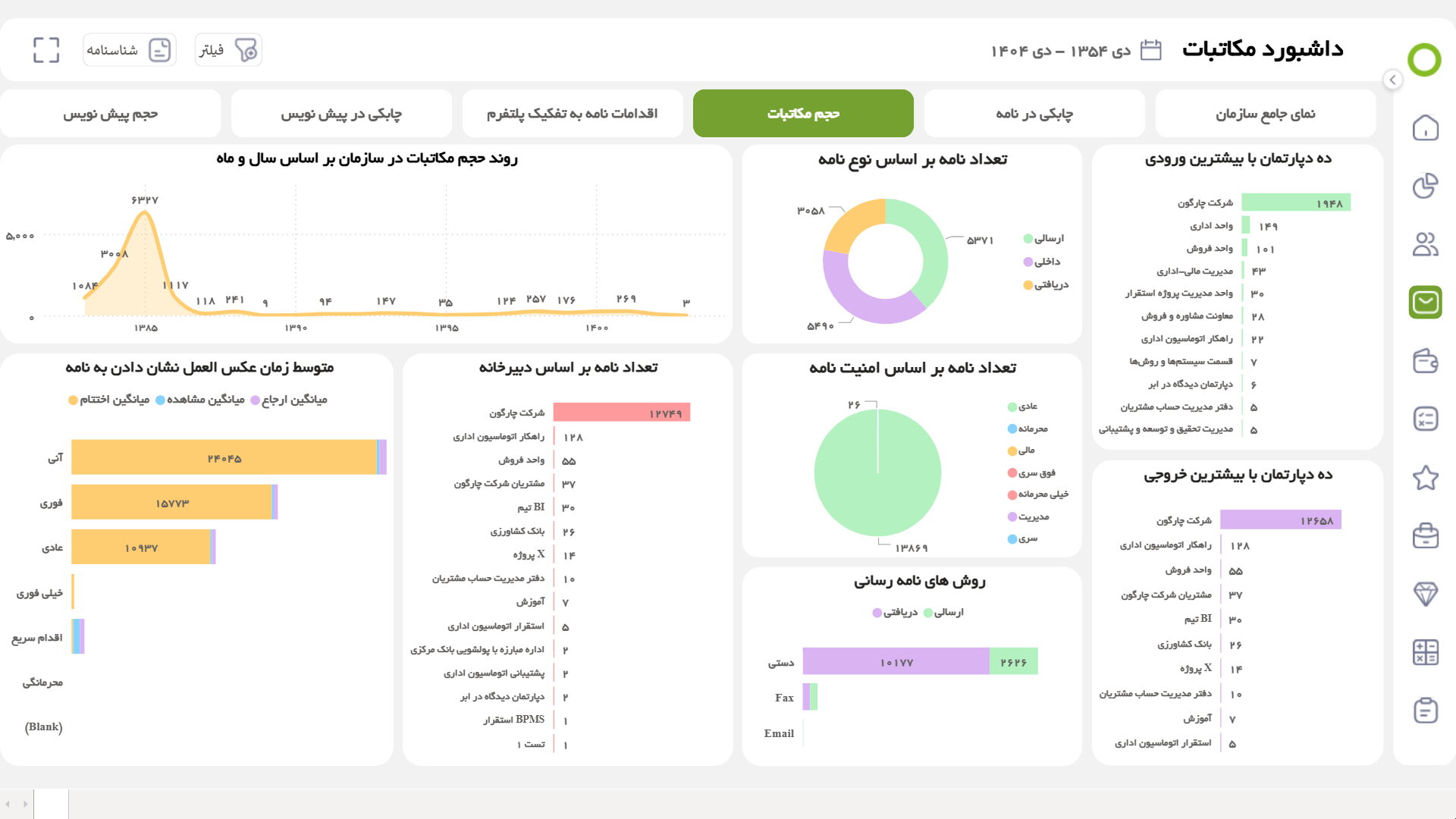
  • Letter volume dashboard
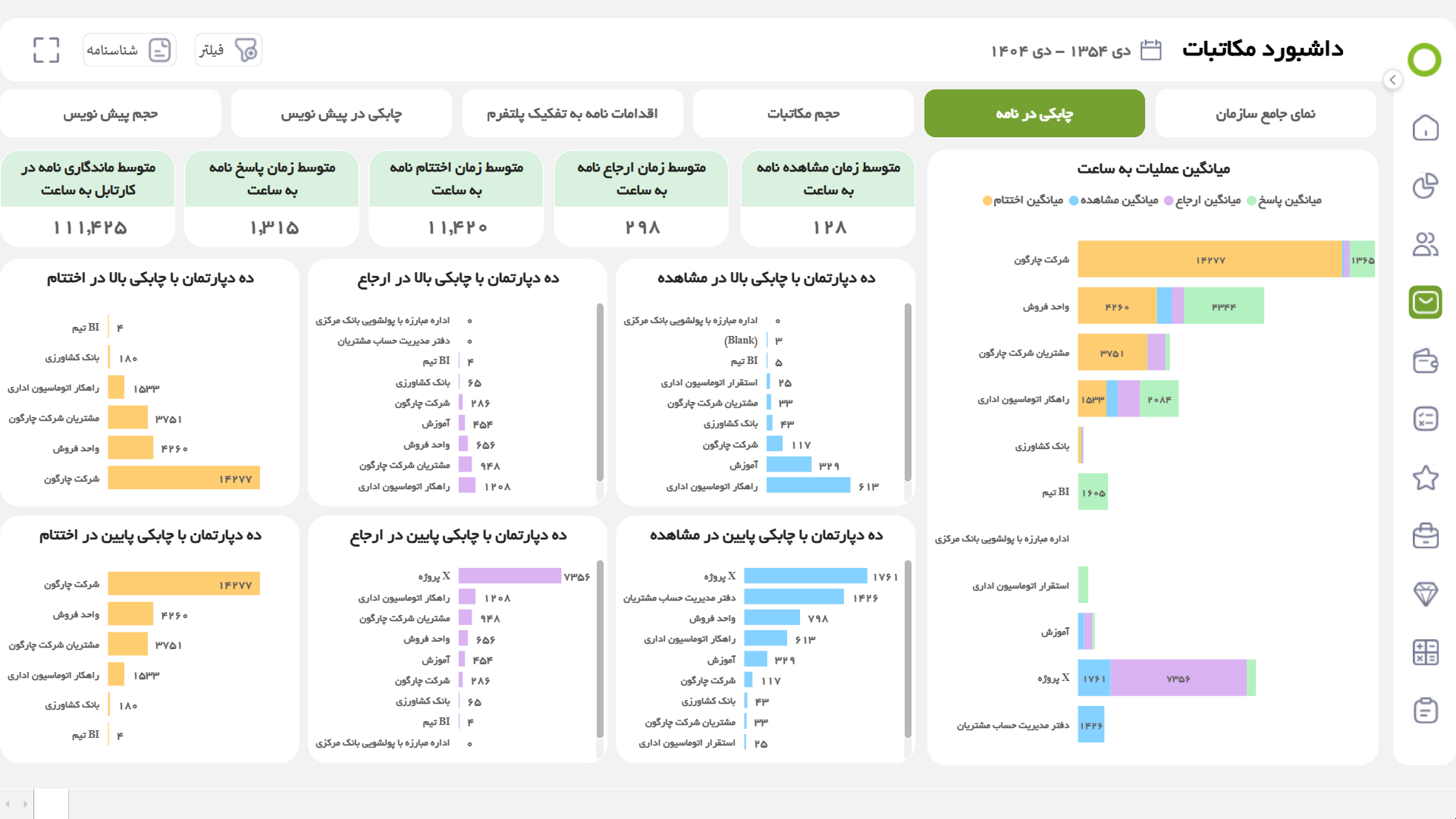
  • Letter agility dashboard
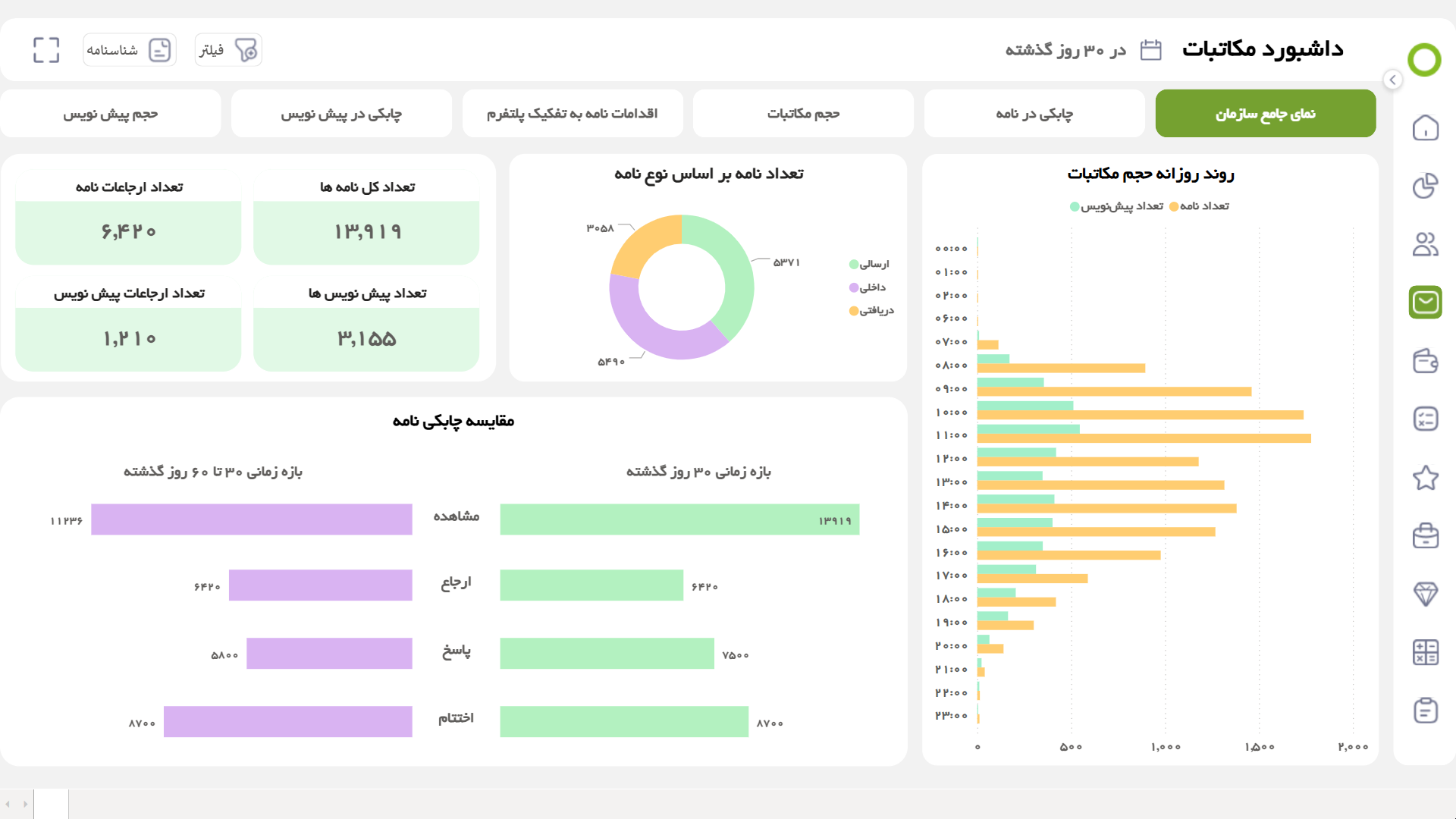
  • Comprehensive organizational view dashboard
  • Draft volume dashboard

    In this dashboard, a view has been designed that, in addition to displaying the number of drafts and their organizational circulation, the status of departments and individuals in the organization is also examined in terms of the number of drafts received and sent in different time periods, so that the 10 positions with the highest number of incoming and outgoing drafts are displayed in the form of separate graphs. Also, the 10 departments with the highest number of draft registrations and submissions will be visible and analyzed in another view of this dashboard.

  • Draft agility dashboard

    In this dashboard, a view has been designed that evaluates the agility of drafts, considering the conditions of the organization in the process of producing and circulating documents, especially drafts. In this regard, it is worth noting that information related to the overall performance of the organization's people in responding to drafts, along with areas for improvement and productivity in the organization, will be visible and extracted. This dashboard informs administrative managers and officials of related areas about the performance status of related units in terms of initial response, production, and circulation of drafts.

  • Letter volume dashboard

    This dashboard has a view that provides managers with general information about the status of organizational letters in terms of volume. Given that letters contain more information items than other entities, this dashboard provides broader possibilities for monitoring the status of organizational correspondence. In addition, this dashboard also examines how the organization reacts to letters at different organizational layers.

  • Letter agility dashboard

    This dashboard has a view that examines the status of the organization in the process of producing and circulating letters. This dashboard covers the actions related to a letter, from the moment it is received and viewed to the preparation of a response and closure. This tool informs the managers of administrative areas of the performance status of the related units in terms of initial response, production and circulation of letters.

  • Comprehensive organizational view dashboard

    The main mission of business intelligence systems is to identify areas that can be improved and need to change in the organization. However, after identifying and implementing corrective actions, it is essential to continuously monitor organizational performance. This dashboard allows you to compare the organization's performance on a monthly basis and helps managers accurately assess the growth or decline in agility in the organization.

Didgah Correspondence Mobile App

Didgah’s mobile correspondence app is a complete version of the correspondence software designed for Android, iOS, and PWA. Using it, users can manage their correspondence from anywhere and at any time and perform actions such as viewing, referencing, signing, sending, and generating letters.

This app, while maintaining security and simplicity, provides the same features of the web version to the user to advance the correspondence flow without the need for a desktop system. Support for instant notifications, quick search, viewing records, and attachments makes working with it fast and uninterrupted.

The mobile version is actually a continuation of the smooth and integrated Didgah correspondence software experience on the phone, helping managers and employees make decisions without delay, even outside the organization’s environment.

Deployment and Support Services

The Didgah software deployment process is more than a simple installation. Chargoon’s deployment team walks you through the setup process step by step; from detailed analysis of correspondence procedures in all departments and information collection to data entry and complete user training (in person or online) until all processes are operational, they are always by your side and your organization.

After deployment, the real support begins; Chargoon’s support experts are ready to respond and resolve any new concerns and needs of your organization, whether through the online ticketing system, by phone, in person or remotely. All administrators and users are provided with practical training to ensure that you benefit from all the software’s capabilities quickly and effectively.

  • Correspondence Management Integrations with Other Software
  • Documentation Software

    Store and archive all correspondence and attachments in one place, fast and integrated access to all documents.

  • BPMS Software

    Direct entry of letters into work processes, eliminating repetitive steps and speeding up work.

  • Meeting Software

    Access meeting resolutions and correspondence in a common platform and follow up on ASA decisions.

  • Personnel Software

    Automatically record employee-related letters in the personnel file and instantly access records.

  • Tasks Software

    Turn correspondence into executive tasks and ensure that every action is taken.

  • My Didgah

    Display all correspondence and tasks in a personal dashboard, follow up in one place and without confusion.

  • اتصال API

    اتصال امن به سیستم‌های داخلی و خارجی، تبادل و انتقال داده بدون محدودیت.

To make a smart choice, consider all aspects

  • What services are provided after the preparation of office correspondence software?

    After the provision of the software, the Chargoon support team provides services including installation and commissioning, user training, technical support and periodic software updates.

  • How can I contact the Chargoon support team?

    You can contact Chargoon support team via phone number, email or online support portal.

  • How is the installation process of office correspondence software?

    The deployment process includes the steps of requirements analysis, software design and implementation, testing and evaluation, and finally user training and final delivery.

  • How long does it take to install office correspondence software?

    The deployment time depends on the complexity and volume of the organization's needs, but usually ranges from a few weeks to a few months.

  • Can office correspondence software be integrated with other systems?

    Yes, this software has the ability to integrate with meeting software, documents, etc. and can be coordinated with existing systems in your organization.

Demo request

  • This field is for validation purposes and should be left unchanged.